In this article
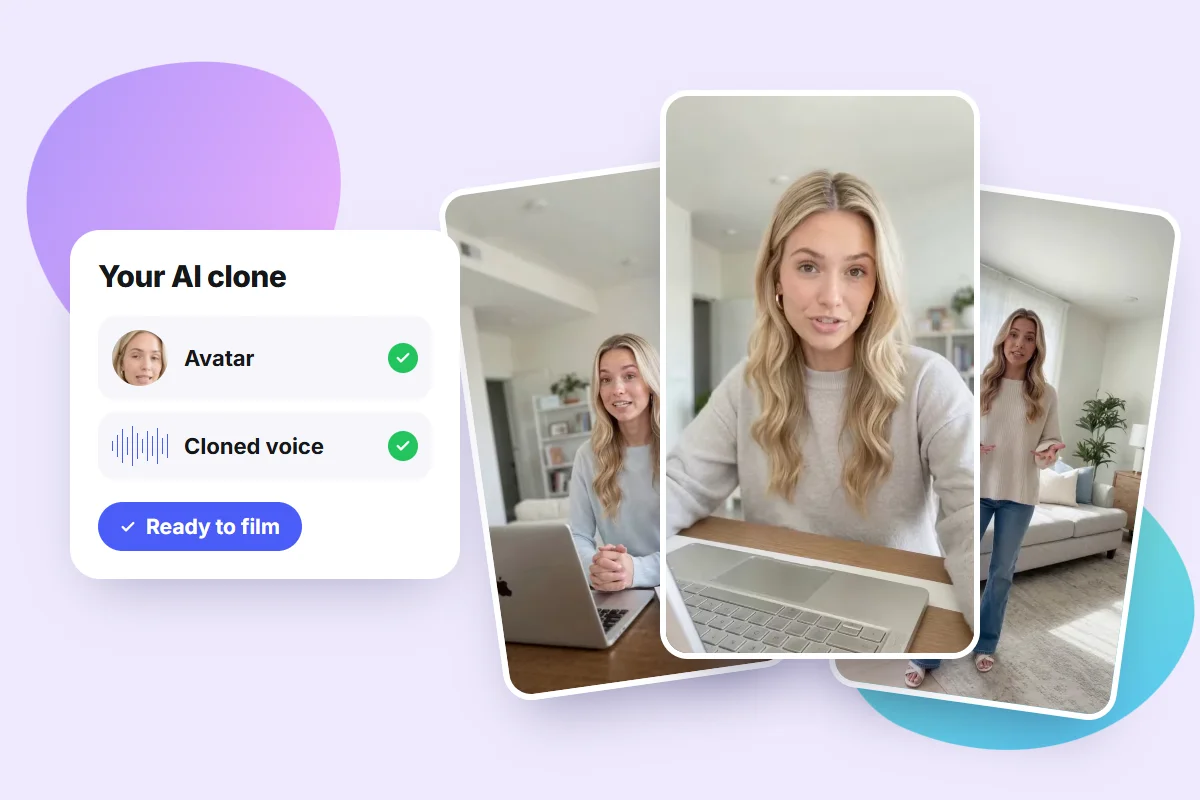
To create an AI clone of yourself, you need one photo (or a short video) and a sample of your voice. The tool turns that material into an avatar that speaks with your voice and, from a script, generates videos where you appear speaking, without turning on a camera.
The main options today are Pubbly, which creates the videos and also posts them to social media for you, HeyGen, Synthesia, Higgsfield and Google Flow. They differ a lot in video length, visual consistency and what happens after the video is ready.
Key takeaways
- An AI clone is an avatar with your face and your voice that presents videos from a script.
- The tools differ in three things: video length, how consistent your face looks from one video to the next, and publishing.
- If you want to post on social media every day, Pubbly is the most complete option: it creates the clone, writes the script and posts for you.
- The clone is only as good as the source material: lighting, framing and clean audio make the difference.
- Use it responsibly: only clone yourself and label AI content when the platform asks.
What is an AI clone?
An AI clone, also called a digital twin or AI avatar, is a video version of you created by artificial intelligence. It combines three technologies:
- Avatar: the AI animates your face, with head movement, blinking and expressions.
- Voice cloning: from an audio sample, the AI learns your tone and the way you speak.
- Lip sync: the avatar's mouth follows the cloned voice, word by word.
The result is a video where you look like you're talking to the camera, but everything was generated from a script.
The 5 best tools to create an AI clone
We compared the most used tools on what matters day to day: whether the clone still looks like you in every video, how long the videos can be, and what happens after the video is ready.
1. Pubbly: the most complete if you post every day
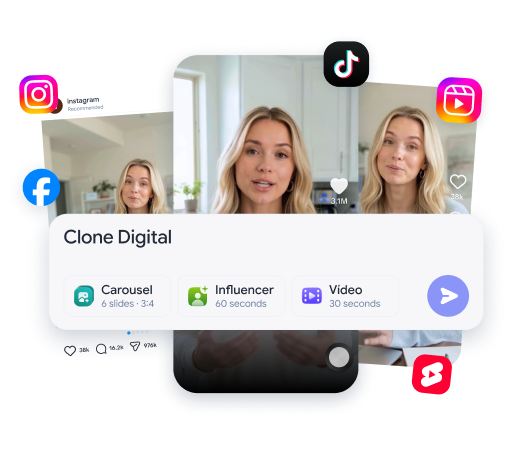
Pubbly is the only tool on this list that goes from clone to publishing. You create the clone from one photo and a voice sample, the AI writes the script in your brand's tone (learned from your Instagram), generates a vertical video with captions and schedules it to Instagram, TikTok and YouTube.
- Works like an AI social media manager: it plans 30 days of content, creates clone videos, carousels and Stories, and posts automatically to Instagram, TikTok and YouTube at the best time. You just approve.
- Best for: professionals, creators and small businesses that need consistency on social media.
- Visual consistency: the same clone is used in every video, always with your face.
- Languages: English, Spanish and Portuguese.
- Heads-up: it's built for short social videos (Reels, TikTok and Shorts).
2. HeyGen
HeyGen is one of the best-known avatar tools. It creates your avatar from a video or a photo, clones your voice and writes scripts with AI.
- Best for: presentation, sales and multilingual videos.
- Limitations: after generating, you download the video and post it manually on each platform. It doesn't learn your brand from Instagram or plan your month of content.
3. Synthesia
Synthesia is built for companies, mainly training and internal communication videos.
- Best for: HR teams, corporate learning and video manuals.
- Limitations: to create a personal avatar you record a video plus a live consent video. The style is more corporate and there's no social media publishing.
4. Higgsfield
Higgsfield is known for cinematic-looking videos and camera effects. It also creates avatars from a photo and clones voices.
- Best for: creative videos and film-style scenes.
- Limitations: because it's built for creative scenes, keeping the exact same face in every video takes more attempts. Publishing to social media is manual.
5. Google Flow
Google Flow uses Veo, Google's video model, to create realistic scenes from text and images.
- Best for: cinematic scenes and product videos.
- Limitations: each generation is 10 seconds at most, so longer videos mean stitching several clips. To keep the same character you use reference images, and the result can still vary between clips. It doesn't clone your voice: it's a scene creation tool, not an AI clone tool.
Quick comparison
| Pubbly | HeyGen | Synthesia | Higgsfield | Google Flow | |
|---|---|---|---|---|---|
| Clone with your face | Yes | Yes | Yes | Yes | No (characters) |
| Voice clone | Yes | Yes | Yes | Yes | No |
| Same face in every video | Yes | Yes | Yes | Needs tweaking | Varies between clips |
| AI-written script | Yes | Yes | Yes | Partly | No |
| Posts to social media for you | Yes | No | No | No | No |
Based on each tool's official website and help center, checked in November 2026.
How to create an AI clone of yourself: step by step
Since Pubbly was the most complete tool in the comparison, here's the step by step in it, with the screens for each step.
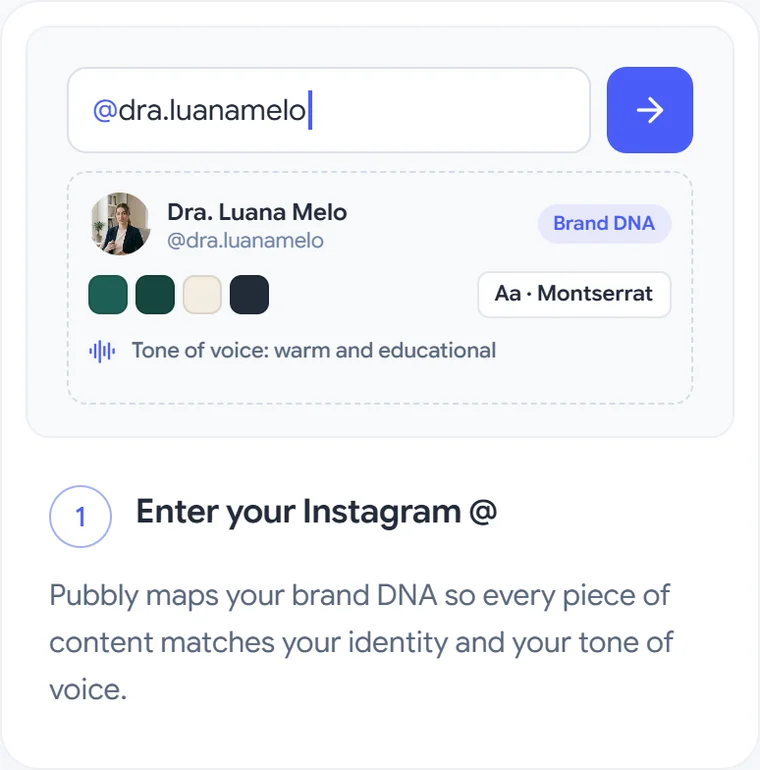
1. Enter your Instagram handle
First, connect your brand. When you enter your handle, Pubbly analyzes the profile and builds your brand DNA: colors, fonts, visual style and tone of voice. Scripts and visuals then match your identity.
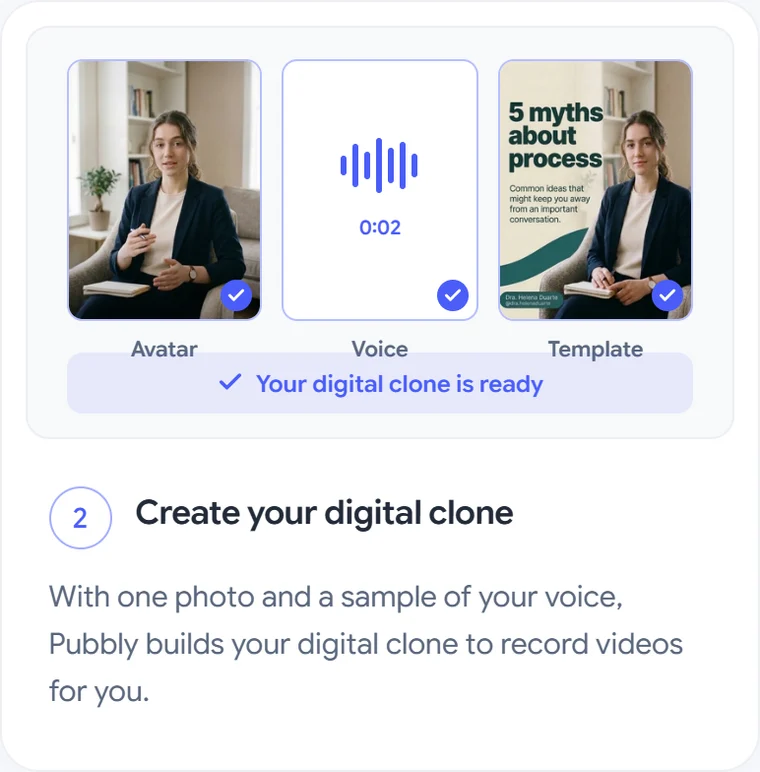
2. Upload a photo and a voice sample
Now the clone itself. Upload one photo (front-facing, well lit) and record or upload a short voice sample made with your phone. Pubbly creates the avatar and the cloned voice.
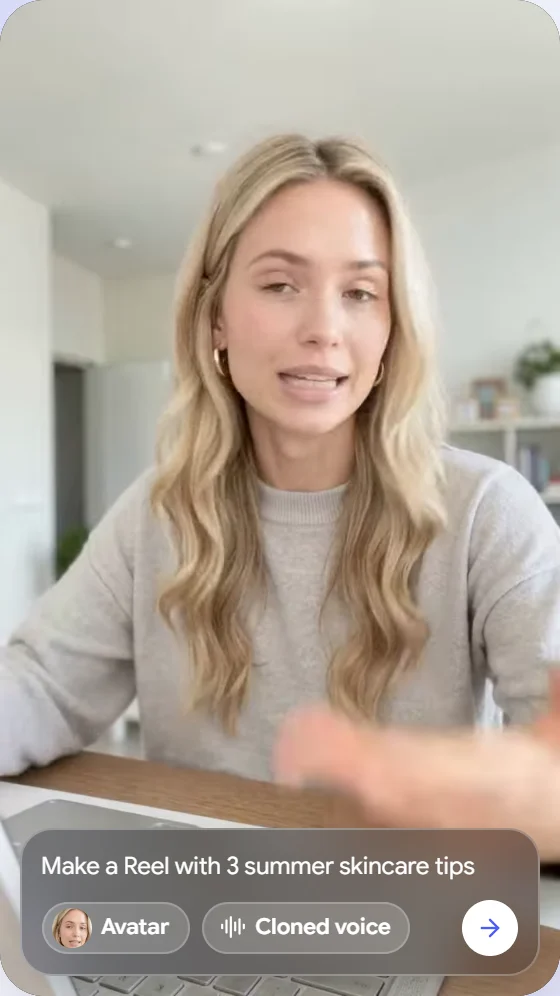
3. Write (or ask for) the script and generate the video
With the clone ready, pick the topic. Write the script yourself or ask the AI, for example: "Make a Reel with 3 summer skincare tips". Select the Avatar and the Cloned voice, and the video is generated in vertical format with animated captions.
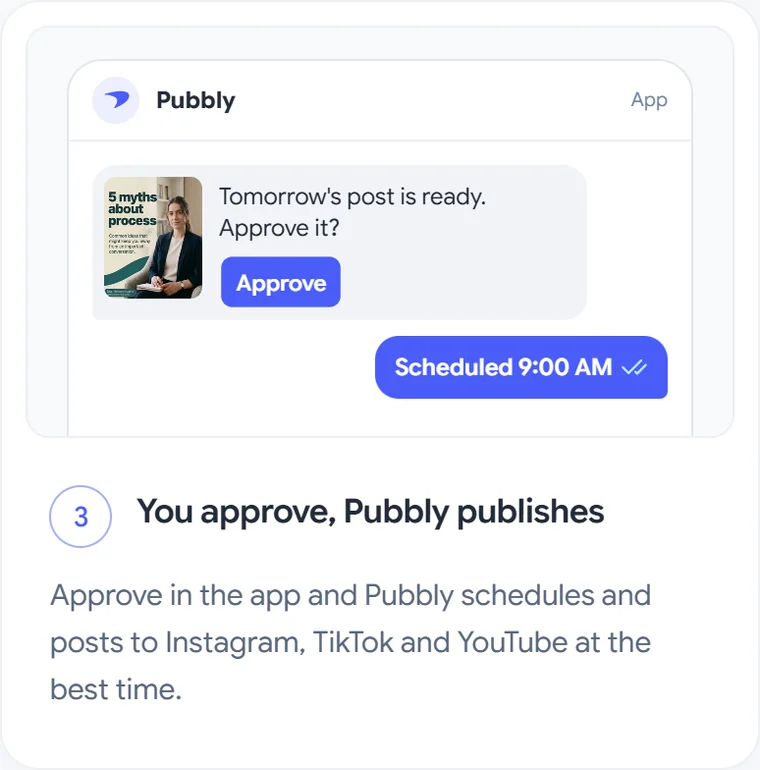
4. Approve and let Pubbly post
You get the content in the app, approve it, and Pubbly schedules and posts it to Instagram, TikTok and YouTube at the best time.
How to make your AI clone look realistic
Most of the difference between a convincing clone and a robotic one comes from what you upload. These rules apply to any tool:
- Front-facing photo, eyes on the camera. Whole face visible, no sunglasses, hats or hands in front.
- Soft, natural light. Ideally facing a window. Avoid harsh shadows and backlight.
- Simple background. A neutral wall or a tidy room helps the AI separate you from the scene.
- Clean audio. Record in a quiet room, phone about a hand's length from your mouth, no music or echo.
- Speak the way you speak in your videos. The cloned voice copies your rhythm and energy.
- Short scripts. 30 to 60 second videos with direct sentences sound more natural.
Tip: before using the clone on every post, generate two or three test videos and show them to someone who knows you. If anything feels off, change the photo or re-record the audio.
AI clones for experts and professionals
Doctors, lawyers, therapists, nutritionists, financial advisors and real estate agents know they need content but don't have hours every week to film. With an AI clone, an expert records the source material once and then publishes educational videos on a regular schedule: FAQs, myths vs. facts, quick tips and same-day commentary on industry news.
Regulated professions (bar associations, medical boards and similar bodies) have advertising rules. A clone doesn't change them: the content is still yours and must follow what your board allows.
Things to keep in mind
- Only clone yourself. Cloning someone else without permission is unethical and may be illegal.
- Label AI-generated content when the platform asks. Instagram, for example, shows an "AI info" label on AI-made content.
- Review every script before approving. You're still responsible for what you say.
- Protect your source material. Use trusted tools and don't upload photos and voice samples to unknown services.
FAQ
What is the best tool to create an AI clone?
It depends on your goal. To post on social media every day, Pubbly is the most complete, because it creates the clone, writes the script and posts for you. For corporate training videos, Synthesia is a good fit. For cinematic scenes, Higgsfield and Google Flow.
Do I need professional equipment?
No. A phone photo in good light and audio recorded on your phone are enough. What matters is following the lighting, framing and quiet-room tips.
Can my AI clone speak other languages?
Yes, in most tools. In Pubbly you can create videos with your clone in English, Spanish and Portuguese.
Can I create an AI clone for free?
Some tools offer limited trials. Pubbly is a subscription with monthly credits, and you can start without a credit card. See the pricing page.
Does an AI clone fully replace filmed videos?
It can replace most everyday videos, like tips and educational content. For behind the scenes, lives and personal moments, filming is still the best choice.
Is it safe to use an AI clone?
Yes, as long as you only clone yourself, use a trusted tool and review what goes live.
With an AI clone, showing up every day no longer depends on having time to film. Meet the Pubbly AI clone and try the AI video generator.
About the author
Founder of Pubbly
Anderson Nunes is the founder of Pubbly, a platform that creates an AI clone with your face and voice to produce videos, carousels and Stories and post them automatically to Instagram, TikTok and YouTube.