In this article
Most "best Nano Banana prompts" lists are a wall of 100 one-liners you'll never use. This one is shorter on purpose. At Pubbly, Nano Banana Pro generates images for client posts every day, and after a lot of those, the pattern is clear: the prompts that work aren't clever, they're specific. Below are the prompt templates we keep coming back to for brands and social media, plus what each Nano Banana version is actually good at.
Quick answer first: Nano Banana is the nickname for Google's image generation and editing models inside Gemini. You describe an image (or upload a photo and ask for a change) and it returns the result in seconds. It's known for keeping faces consistent across edits and for rendering readable text inside images.
Key takeaways
- There are three Nano Banana models today: the original, Nano Banana 2 and Nano Banana Pro.
- Nano Banana 2 is free in the Gemini app with usage limits. Pro is on paid plans.
- Good prompts describe the subject, scene, light, camera and final use. Keyword soup doesn't work.
- When editing, ask for one change at a time and say what must stay the same.
- For brand content, the hard part isn't one great image, it's thirty that look like they belong together.
Nano Banana, Nano Banana 2 and Nano Banana Pro
"Nano Banana" started as a codename in anonymous model rankings in 2025. It won, the name stuck, and Google kept it. So when people say Nano Banana, they could mean any of these:
| Version | Technical name | Released | Best for |
|---|---|---|---|
| Nano Banana | Gemini 2.5 Flash Image | August 2025 | Quick edits and tests |
| Nano Banana Pro | Gemini 3 Pro Image | November 2025 | Text in images, infographics, 2K and 4K output |
| Nano Banana 2 | Gemini 3.1 Flash Image | February 2026 | Near-Pro quality at Flash speed; the default in the Gemini app |
Nano Banana Pro vs Nano Banana 2: for most everyday images, Nano Banana 2 is enough and faster. Pro earns its cost when the image carries a lot of text (a poster, a carousel cover, packaging) or when you need print-level resolution.
Every image carries SynthID, an invisible watermark that identifies content made with Google AI. Keep that in mind if you post them: some platforms detect it and add an AI label.
How to use Nano Banana for free
- Open Gemini and sign in with a Google account.
- Choose the image creation option in the prompt box.
- Type your prompt, or upload a photo with an editing instruction.
- Keep refining in the same chat: "warmer light", "swap the background for a brick wall".
Free accounts have usage limits that Google adjusts based on demand. Paid Gemini plans unlock more images and the Pro model. Developers can use Google AI Studio and the API, which charge per image.
The prompt formula that works
Nano Banana reads full sentences, so write like you're briefing a photographer, not typing into a search bar. A reliable structure:
- Subject: who or what is in the image.
- Scene: where it is and what's happening.
- Light and mood: window light, golden hour, white studio background.
- Camera: close-up, top-down, 50mm lens, shallow depth of field.
- Final use: square Instagram post, vertical Reels cover, wide banner.
The last one is the most skipped and the one that changes the result the most. When the model knows the image is a vertical post, it leaves room for text and keeps the subject where it won't get cropped.
Nano Banana prompts for brands and social media
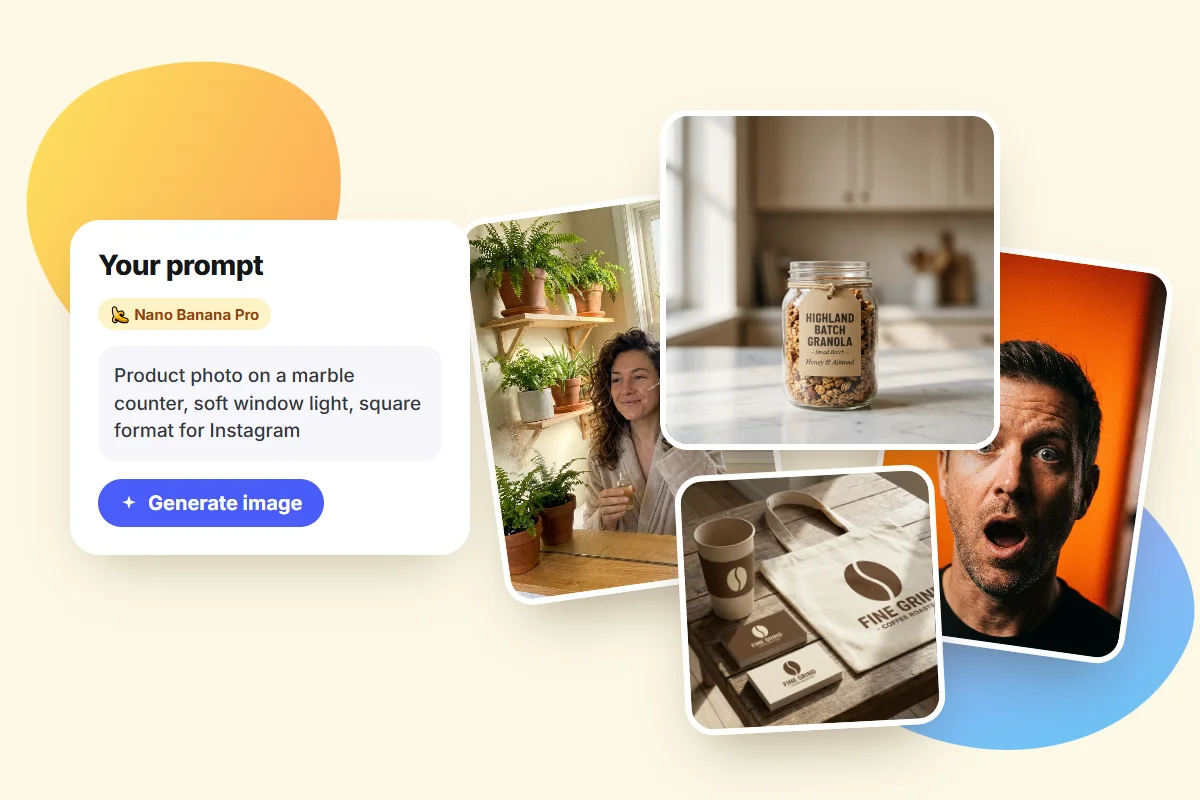
Replace whatever is in brackets with your own case. Every image below came out of Nano Banana Pro on the first try, untouched, from the exact prompt shown.
1. Product shot on a clean background
Professional product photo of [a glass jar of small-batch granola with a
kraft label] on a light marble counter, soft window light from the left,
subtle shadow, blurred beige background. Square format for an Instagram
post, product centered, empty space at the top.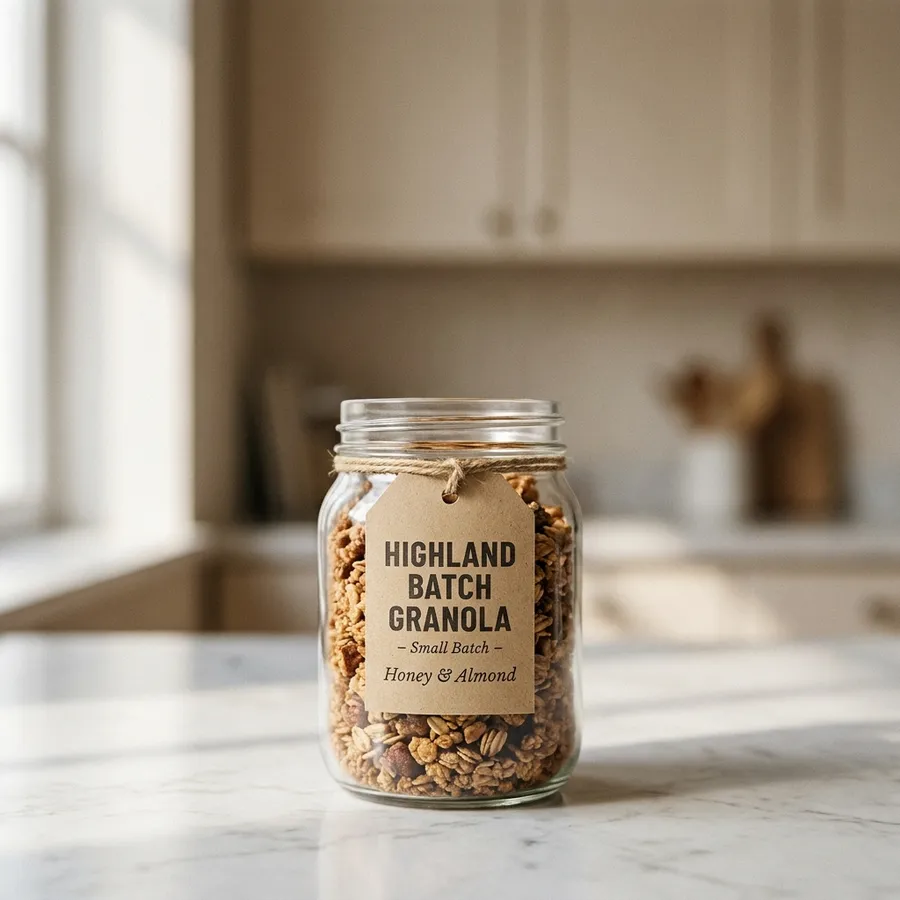
Even better: upload a real photo of your product and add "keep the product exactly the same, change only the setting". That stops the label from changing.
2. Lifestyle shot
A woman in her 30s with curly hair, smiling while applying [face serum] in a
bright bathroom with plants, morning light, shot on a phone, natural and
unposed. Vertical 9:16.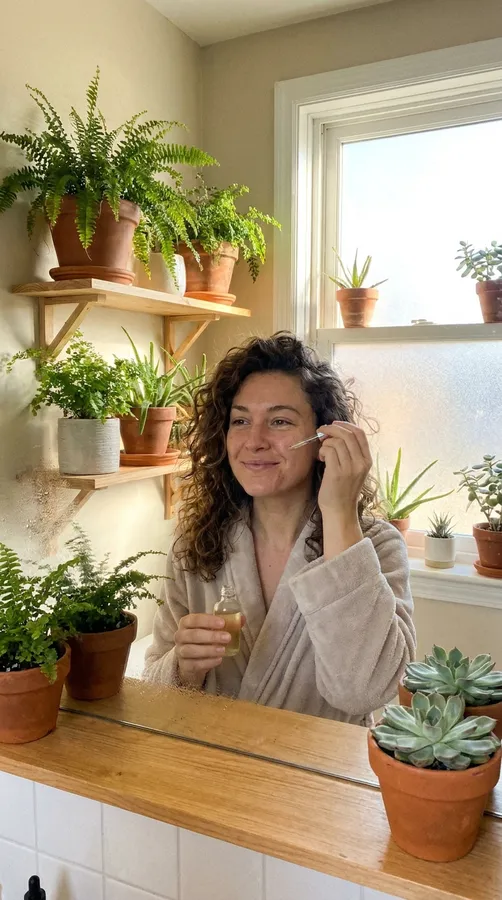
"Shot on a phone" is what takes away the stock-photo feel. Without it, results tend to look too perfect.
3. Text-based post
Square Instagram post for a [dental clinic], flat light blue background,
large white sans-serif headline that reads exactly "3 signs you need a
check-up", simple illustration of a smiling tooth in the bottom right
corner, minimalist style.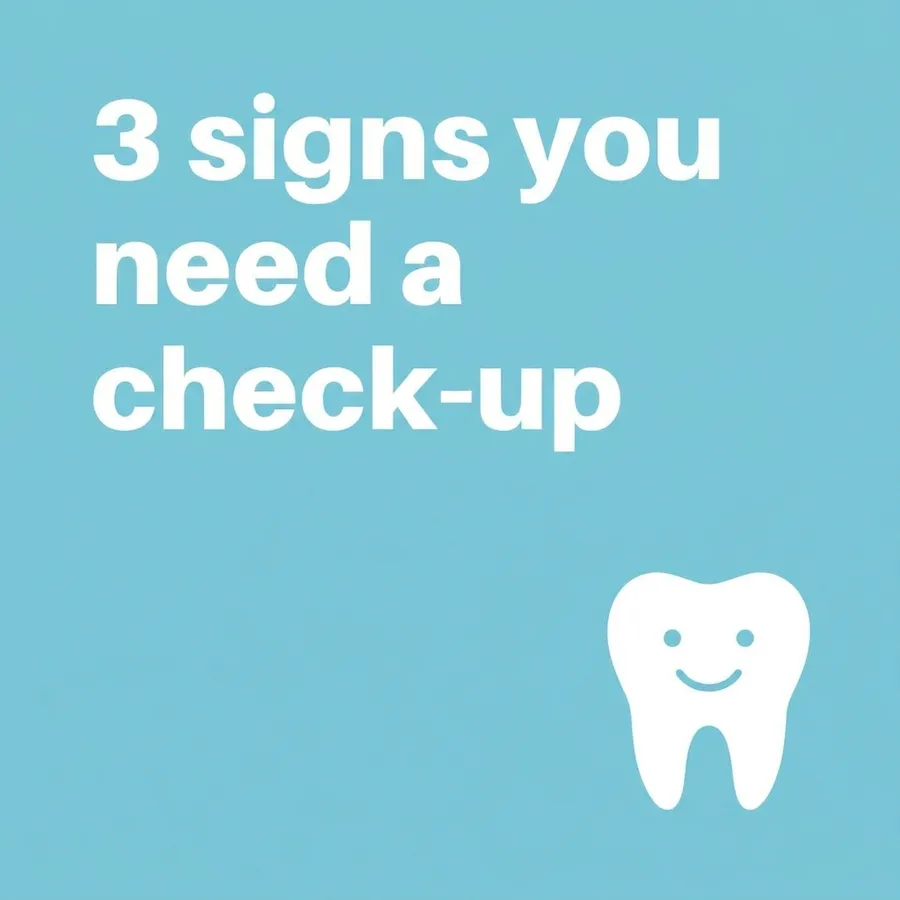
This is where Pro is worth it. Put the text in quotes and add "reads exactly". Still, proofread every letter before posting.
4. Reels cover or YouTube thumbnail
Vertical Reels cover, close-up of a man in his 40s looking surprised at the
camera, blurred bright orange background, empty space in the top third for a
title, high-contrast studio lighting.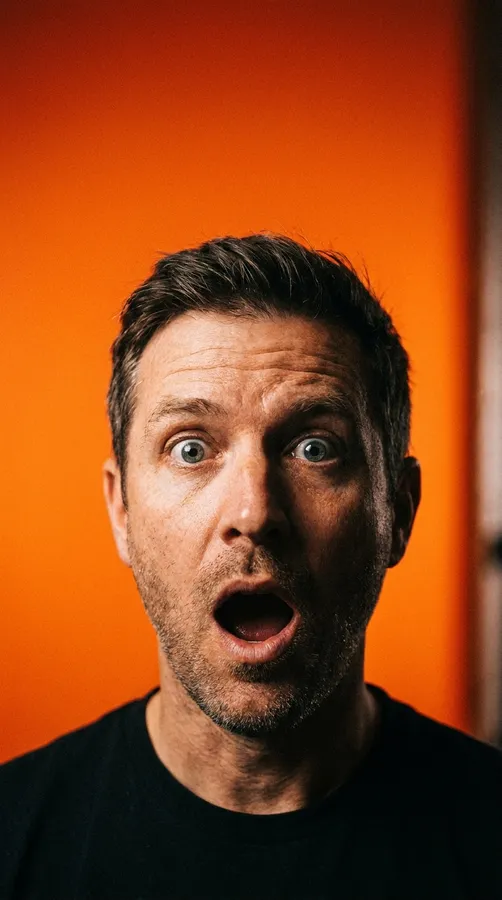
Leave the title out and add it later in an editor. That way you can test headlines without regenerating the image.
5. Change the background of your photo
Keep the person, outfit, face and pose exactly the same. Only replace the
background with a modern office with a blurred bookshelf and natural light.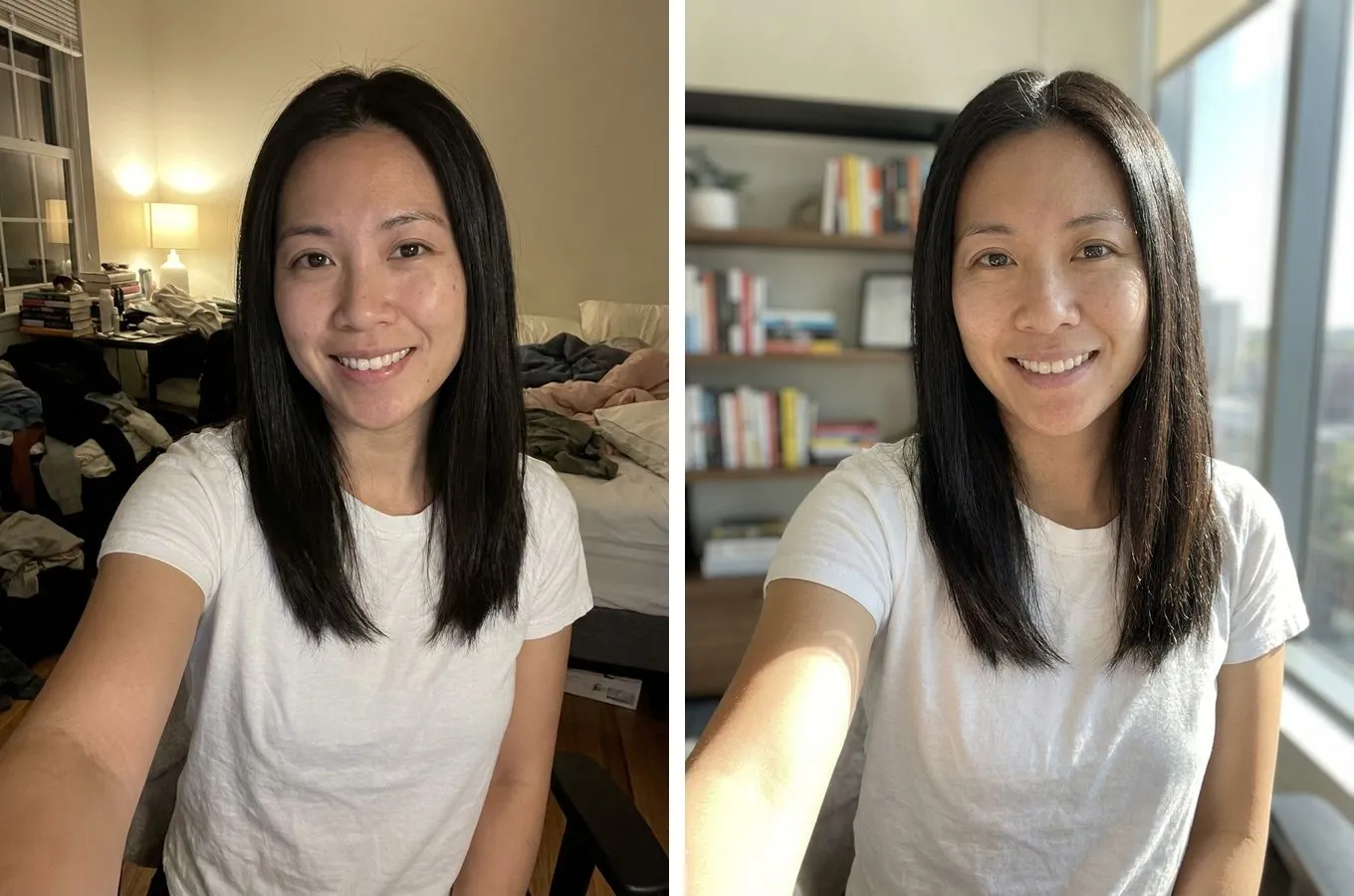
In edits, "keep exactly the same" matters more than any fancy description. Change one thing per request: ask for a new background, outfit and hair color at once and the face usually drifts too.
6. Professional headshot from a selfie
Turn this selfie into a professional headshot: same person and same face,
navy button-up shirt, neutral gray studio background, soft front lighting,
framed from the chest up.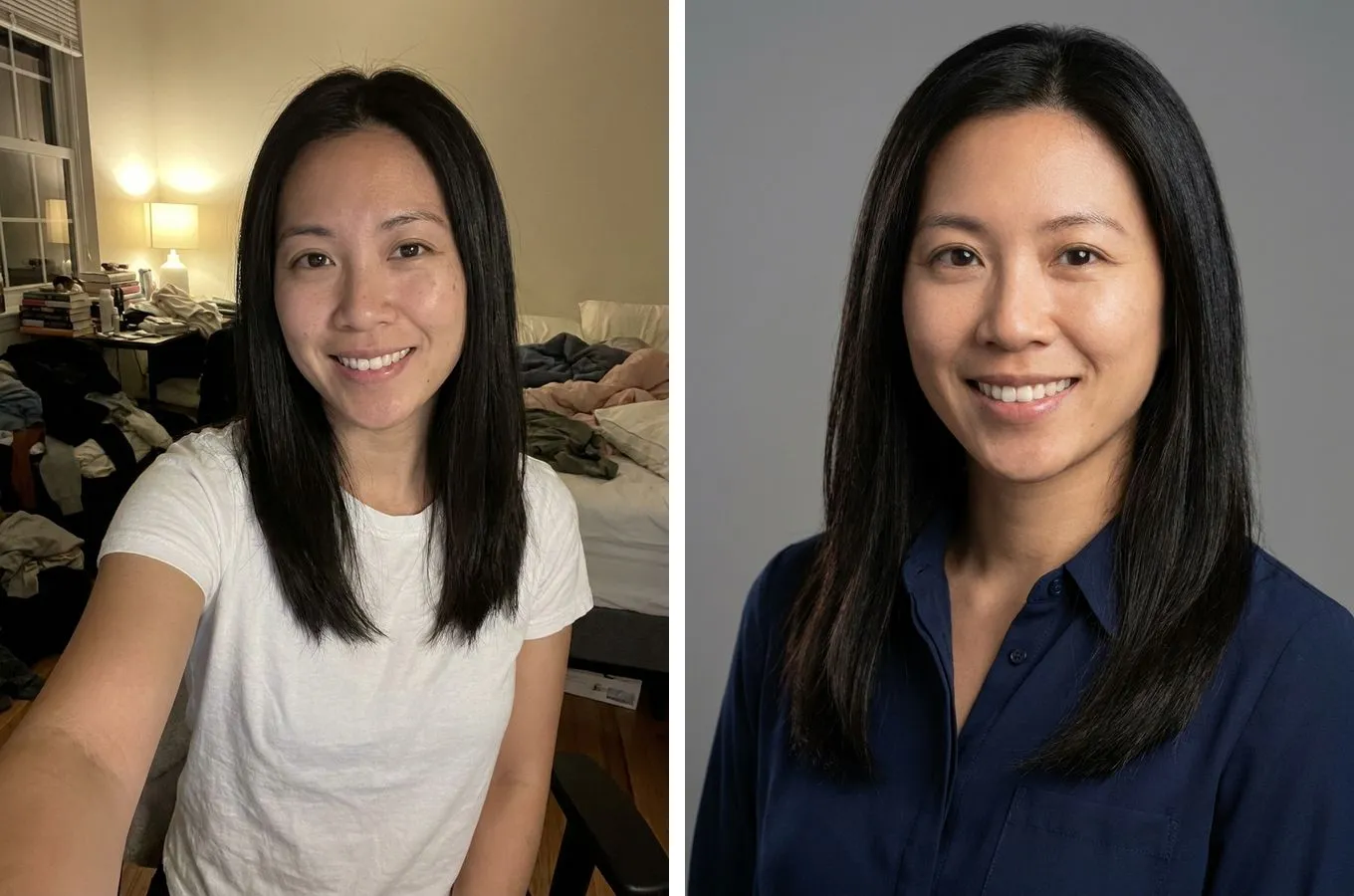
If the face changes, upload a second photo and say "use these photos as the face reference".
7. Before and after
Image split vertically down the middle. Left: [a small, cluttered, dark
living room]. Right: the same room organized, with light furniture and
natural light. Same camera angle on both sides. 4:5 format.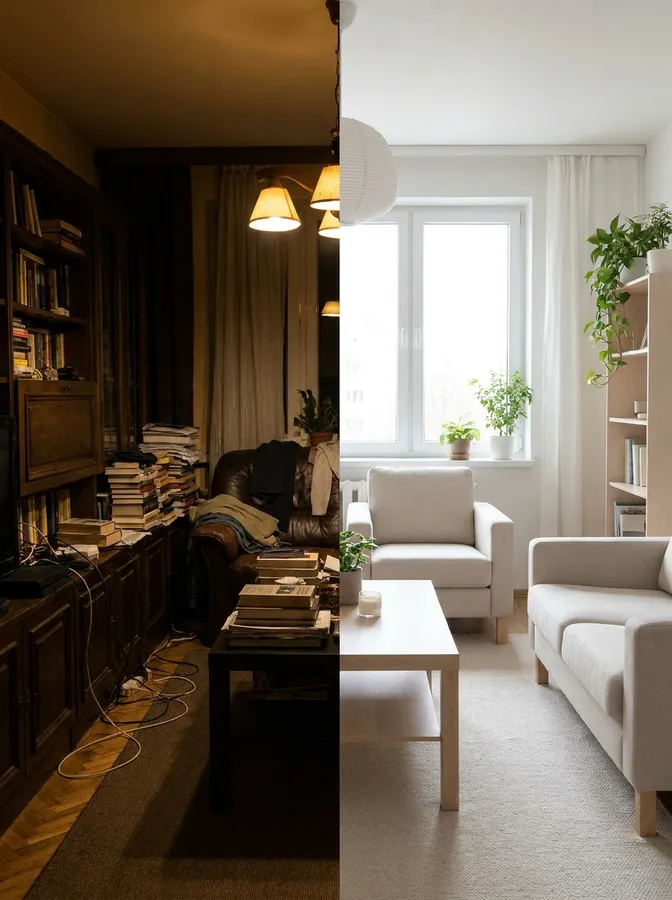
Works for interior design, aesthetics, cleaning, renovation and any service that sells a transformation.
8. Brand mockup
Realistic brand identity mockup for a [coffee shop called "Fine Grind"]:
paper cup, tote bag and business card on a wooden table, brown and cream
palette, simple coffee bean logo, top-down view, natural light.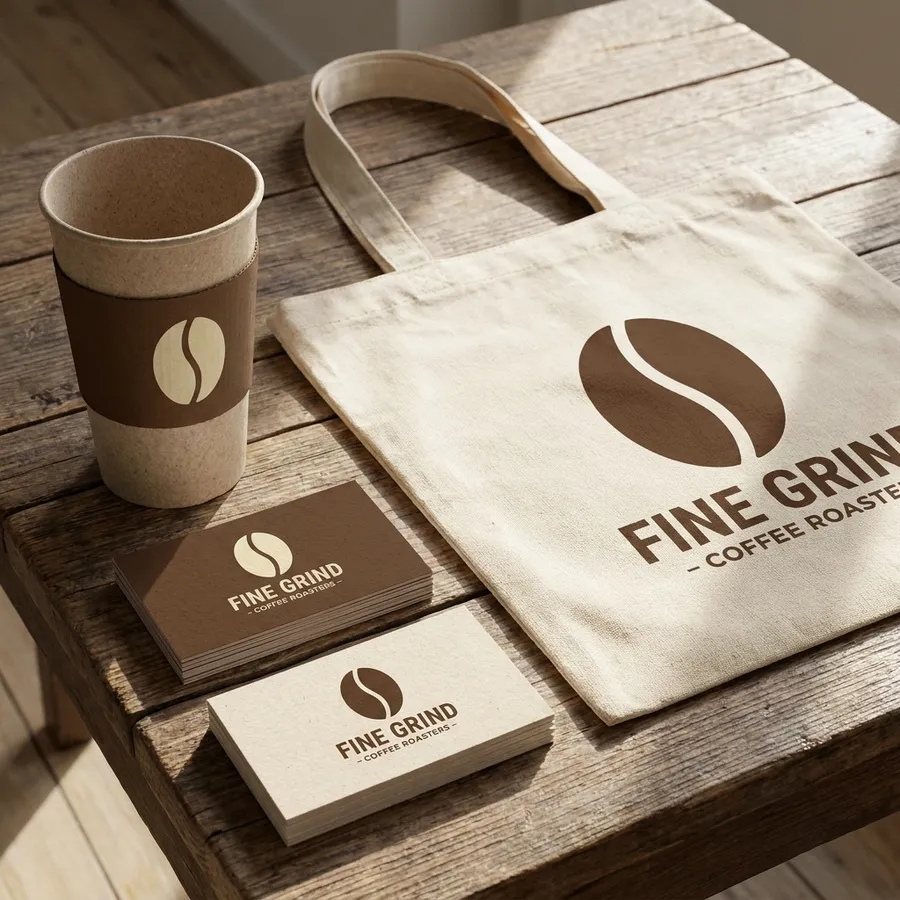
Great for pitching a brand idea before paying for final design. For your real brand, upload the actual logo as a reference image.
Mistakes that ruin the result
- Asking for everything at once. Every extra change in an edit raises the odds of losing what you wanted to keep.
- Skipping the aspect ratio. Without it, you get a square and crop out the important part.
- Long text inside the image. Even Pro slips on long sentences. Short headline in the image, the rest in the caption.
- Expecting consistency by default. If every post starts from scratch, colors and style shift from one to the next and your feed looks like a collage.
Using Nano Banana for brand content
Gemini is great for one image. The friction shows up at thirty: every chat starts from zero, so you repeat colors, fonts and style in every prompt and hope it comes out close. Then you download, resize for each platform, write captions and post.
That's the part Pubbly handles. It uses Nano Banana Pro to generate images, but first it learns your brand from your Instagram: colors, fonts, photo style and tone of voice. Every image comes out on brand, in the right format for each platform, with a caption, and you just approve it to publish.
| Gemini (Nano Banana) | Pubbly | |
|---|---|---|
| Generates with Nano Banana Pro | Paid plans | Yes |
| Remembers brand colors, fonts and style | No, you repeat it in the prompt | Yes, learned from your Instagram |
| Right format for posts, Stories and Reels | You ask every time | Automatic |
| Captions and hashtags | No | Yes |
| Publishes to Instagram, TikTok and YouTube | No | Yes |
If you just want to test an idea or edit a photo, Gemini does the job. If you need to keep a feed active and on brand, try Pubbly's AI image generator.
FAQ
Is Nano Banana free?
Yes, in the Gemini app, with usage limits Google adjusts based on demand. Nano Banana Pro and higher volumes are on paid plans. Through the API, every image is billed.
What's the difference between Nano Banana 2 and Nano Banana Pro?
Nano Banana 2 is faster and cheaper with close quality. Pro is better for text-heavy images, infographics and high resolution (up to 4K).
Does Nano Banana add a watermark?
All images get SynthID, an invisible watermark. Depending on your plan, Gemini may also add a visible mark.
Can I use Nano Banana images for my business?
Yes, as long as the image doesn't copy brands, characters or real people without permission. Always proofread text in the image and follow each platform's rules on AI content.
Can Nano Banana make videos?
No. It creates and edits images. To turn an image into video you need a video model; Pubbly does it with its AI video generator.
Start with the template closest to your business and change one thing at a time. A few rounds in, you'll know what the model responds to, and that skill carries over to any image tool.

About the author
Founder of Pubbly
Anderson Nunes is the founder of Pubbly, a platform that creates an AI clone with your face and voice to produce videos, carousels and Stories and post them automatically to Instagram, TikTok and YouTube.