In this article
Updated on November 15, 2026.
The short answer: Pick Buffer if your content is already done and you only need to schedule across many networks. Pick Pubbly if you need to create the content: a monthly plan, edited clone videos, carousels and AI images, publishing to Instagram, Facebook, TikTok and YouTube and comment replies.
Pubbly vs. Buffer at a glance
| Criteria | Pubbly | Buffer |
|---|---|---|
| Starting price | $9/monthStarter plan, or $79 billed yearly | FreePaid plans per channel |
| Monthly content plan | ✓Ready calendar based on your niche | ×You organize what you made |
| Videos with your face and voice | ✓AI clone from 1 recording | ×No |
| Video editing (captions, cuts, scenes) | ✓Automatic, on brand | ×No |
| Carousels and AI images | ✓With your brand colors, fonts and logo | ×You upload finished files |
| Captions and scripts | ✓In your brand voice | Text assistant |
| Schedule and post to Instagram, Facebook, TikTok and YouTube | ✓Yes | ✓Plus networks like LinkedIn |
| Reply to comments and send links by DM | ✓Automatic, 24/7 | ×No |
| Free plan | ×No | ✓Few channels |
Where Buffer is better
- It schedules to many networks, including LinkedIn, Pinterest and others Pubbly doesn't cover.
- Simple interface for teams to review and approve posts.
- It has a free plan for a few channels.
Create or just schedule
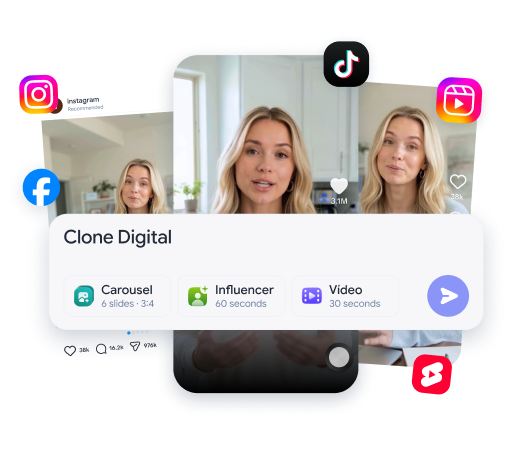
Buffer publishes what you made; Pubbly makes the content. In Buffer you arrive with the video, image and caption ready. Pubbly creates all of that: edited clone videos, on-brand carousels and AI images, and captions.
Videos with your clone
Buffer doesn't film or edit video. With Pubbly you record once and your clone films the next videos, with captions, cuts and scene overlays. With Buffer you still film and edit in another tool.
See how it works: ai clone.
Monthly planning
Buffer organizes the queue; Pubbly decides what to post. Pubbly analyzes your niche, competitors and trends and builds the calendar with ideas, scripts and formats. In Buffer, the calendar shows what you already created.
Comments and DMs
After the post, Pubbly keeps working. Pubbly replies to comments and sends the right link by DM, even when you are offline.
How to use Buffer for Instagram (and where it stops)
If you use Buffer, these tips help you keep a steady cadence.
- Set aside one day a week to create all your content and schedule it at once.
- Use the suggested posting times for each network.
- Reuse the same video on Instagram, Facebook, TikTok and YouTube.
Buffer handles publishing. Planning, filming, editing, carousels and replying to comments are still on you.
Pricing: Pubbly vs. Buffer
- Pubbly: from $9 per month on the Starter plan, or $79 per year, with video, carousel and image creation, scheduling and auto-replies.
- Buffer: free plan for a few channels and paid plans billed per connected channel. Current prices are on buffer.com/pricing.
The fair math: Buffer only schedules. To create the content you still need a video editor, a design tool and a lot of time.
Choose Pubbly if…
- You need to create content, not just schedule it.
- You want clone videos, carousels and images ready.
- You want comment replies on autopilot.
Choose Buffer if…
- Your content is already done.
- You post to many networks, like LinkedIn and Pinterest.
- You want to start free with a few channels.
Can you use both?
You can, but Pubbly already schedules and publishes to Instagram, Facebook, TikTok and YouTube. Buffer makes sense alongside it if you also post to networks Pubbly doesn't cover.
Frequently asked questions
Is Buffer worth it?
Yes, if your content is already done and you only need to schedule across networks. It doesn't create videos, carousels or images.
Why is Pubbly better than Buffer?
Because Pubbly creates the content before publishing: planning, clone videos, carousels and AI images, and it also replies to comments.
Which is better: Pubbly or Buffer?
Pick Buffer if your content is already done and you only need to schedule across many networks. Pick Pubbly if you need to create the content: a monthly plan, edited clone videos, carousels and AI images, publishing to Instagram, Facebook, TikTok and YouTube and comment replies.
Is Pubbly a Buffer alternative?
Yes, for people creating content for Instagram, Facebook, TikTok and YouTube. Pubbly schedules and publishes like Buffer and also creates what gets published.
Does Buffer create content with AI?
Buffer has an assistant for writing text, but it doesn't create videos, carousels or images. You upload finished content.
How much does Pubbly cost?
Pubbly starts at $9 per month on the Starter plan, or $79 on the annual plan. Larger plans add more videos and brands.
How we compared
We compared what matters to people creating content for Instagram, Facebook, TikTok and YouTube: planning, creating videos, carousels and images, publishing and replying. Buffer information comes from its official website, checked in November 2026. Features and prices change; when they do, we update this page.
Sources: Buffer: preços · November 15, 2026.