In this article
- Pubbly vs. HeyGen at a glance
- Where HeyGen is better
- Clone videos: avatar or finished content
- Ready editing and scene overlays
- Carousels and posts
- Monthly planning
- Scheduling and publishing
- Comments and DMs
- Recreate viral content
- How to use HeyGen for Instagram (and where it stops)
- Pricing: Pubbly vs. HeyGen
- Choose Pubbly if
- Choose HeyGen if
- Can you use both?
- Frequently asked questions
- How we compared
Updated on November 15, 2026.
The short answer: Pick HeyGen if you need highly realistic avatars, video translation into dozens of languages, or training and sales videos. Pick Pubbly if you create content for Instagram, Facebook, TikTok and YouTube and want your clone's video already edited, with captions and scene overlays, plus carousels, monthly planning and publishing in one place.
Pubbly vs. HeyGen at a glance
| Criteria | Pubbly | HeyGen |
|---|---|---|
| Starting price | $9/monthStarter plan, or $79 billed yearly | $29/monthCreator plan, credit-based |
| Videos with your clone (face and voice) | ✓Clone from 1 recording | ✓Avatar and voice clone |
| Social-ready editing (captions, cuts, scenes) | ✓Automatic captions, cuts and scene overlays | Captions and B-roll in the editor, you assemble |
| Monthly content plan | ✓Ready calendar based on your niche | ×No |
| On-brand carousels and posts | ✓Colors, fonts and logo applied | ×Video only |
| Schedule and post to Instagram, Facebook, TikTok and YouTube | ✓Yes | ×You download and post |
| Reply to comments and send links by DM | ✓Automatic, 24/7 | ×No |
| Recreate competitors' viral content | ✓Analyzes the handle and adapts hooks | ×No |
| Videos in other languages | ✓Creates content in many languages | ✓Lip-synced translation in 175+ languages |
| Free plan | ×No | ✓3 watermarked videos/month |
Where HeyGen is better
- Video translation into 175+ languages with voice cloning and lip-sync.
- Lots of avatar options and customization, plus an API for personalized videos at scale.
- Enterprise features: training videos, LMS export, SSO and integrations.
Clone videos: avatar or finished content
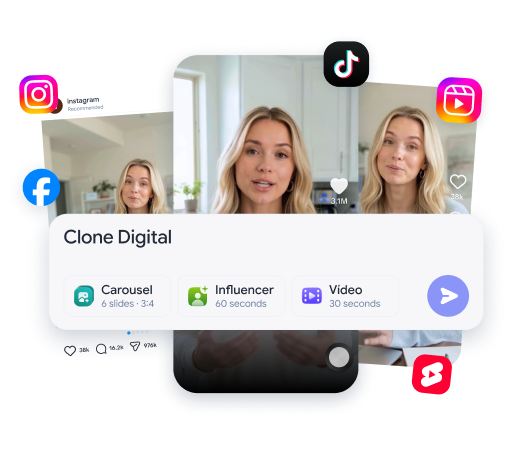
Both film for you; HeyGen delivers a talking avatar, Pubbly delivers a finished post. With Pubbly you record once, create a clone with your face and voice, and every script in your plan becomes a vertical video built for Reels, TikTok and Shorts. HeyGen focuses on the avatar: you write or paste a script and generate the video, widely used for training, sales and presentations.
See how it works: ai clone.
Ready editing and scene overlays
Pubbly's video comes out edited; in HeyGen, assembly is on you. Pubbly applies dynamic captions, cuts, transitions and scene overlays automatically, in your brand style, so the video holds attention from the first seconds. HeyGen has auto captions and B-roll in its AI Studio editor, but pacing a Reel is still your job.
See how it works: ai video generator.
Carousels and posts
HeyGen only makes video; Pubbly also creates carousels. Carousels and posts come out with your colors, fonts and logo, ready for the feed. With HeyGen you would need another tool, like Canva, for one of the formats that earns the most saves on Instagram.
Monthly planning
HeyGen waits for your script; Pubbly tells you what to post. Pubbly analyzes your niche, competitors and trends and builds the monthly calendar with ideas, scripts and formats. You approve and it produces. In HeyGen, deciding what to film and writing every script is on you.
Scheduling and publishing
HeyGen doesn't post to social media; Pubbly schedules and publishes. With HeyGen you download the video and post it manually or with another tool. In Pubbly, Reels, carousels and Stories go into the calendar with captions ready and are published to Instagram, Facebook, TikTok and YouTube on time.
Comments and DMs
After the post, Pubbly keeps working. Pubbly replies to comments and sends the right link by DM, even when you are offline. HeyGen doesn't follow what happens after the video is published.
Recreate viral content
Pubbly starts from what already works in your niche. Type a competitor's handle and Pubbly finds their best-performing videos, analyzes the hooks and writes a script adapted to your profile, ready to become a video with your clone.
How to use HeyGen for Instagram (and where it stops)
If you start with HeyGen, these steps help you get a good Reel.
- Create the avatar from a well-lit video of you looking at the camera, and pick the vertical 9:16 format.
- Write short scripts, 20 to 40 seconds, with the hook in the first sentence.
- Turn on auto captions and check the pacing before exporting.
After that, social-paced editing, carousels, monthly planning, scheduling and replying to comments are still on you. That is the part Pubbly does along with the video.
Pricing: Pubbly vs. HeyGen
- Pubbly: from $9 per month on the Starter plan, or $79 per year, with videos, carousels, scheduling and auto-replies. Creator and Pro plans add volume.
- HeyGen: free plan with 3 watermarked videos per month up to 1 minute. Creator is $29 per month, and Pro and Business plans are credit-based.
The fair math: with HeyGen, daily posters usually still pay for an editor, a design tool for carousels, a scheduler and a DM automation tool. Pubbly bundles all of that.
Choose Pubbly if…
- You create content for Instagram, Facebook, TikTok and YouTube and want to post daily.
- You want your clone's video already edited, with captions and scenes.
- You also want carousels, monthly planning and automatic publishing.
Choose HeyGen if…
- You need to translate videos into many languages.
- You make training, sales or presentation videos.
- You need an API for personalized videos at scale.
Can you use both?
You can, but for social content Pubbly already covers the clone, the editing and the publishing. HeyGen makes sense alongside it if you also need to translate videos into many languages or produce training videos.
Frequently asked questions
Is HeyGen worth it?
Yes, for realistic avatars, video translation and training or sales videos. To post daily on social media you still need to edit, create carousels, plan and publish elsewhere.
Why is Pubbly better than HeyGen?
Because besides the clone video, Pubbly delivers social-ready editing, carousels, a monthly plan, publishing and comment replies, all in one place.
Which is better: Pubbly or HeyGen?
Pick HeyGen if you need highly realistic avatars, video translation into dozens of languages, or training and sales videos. Pick Pubbly if you create content for Instagram, Facebook, TikTok and YouTube and want your clone's video already edited, with captions and scene overlays, plus carousels, monthly planning and publishing in one place.
Is Pubbly a HeyGen alternative?
Yes, for social media creators. Both make videos with your clone, but Pubbly also edits, creates carousels, plans, posts and replies.
Can HeyGen post to Instagram?
No. HeyGen generates the video, and you have to download and post it manually or use a scheduling tool.
Does HeyGen make carousels?
No. HeyGen is focused on video. For carousels you would need another tool; in Pubbly they come out with your brand identity.
Which has the more realistic clone?
HeyGen is a benchmark for avatar realism and lip-synced translation. Pubbly focuses on social-ready video: your clone comes with captions, cuts and scenes that hold attention.
Does HeyGen have a free plan?
Yes: 3 videos per month up to 1 minute, with a watermark. Paid plans are credit-based.
How much does Pubbly cost?
Pubbly starts at $9 per month on the Starter plan, or $79 on the annual plan. Larger plans add more videos and brands.
How we compared
We compared what matters to people creating content for Instagram, Facebook, TikTok and YouTube: planning, filming with a clone, editing, carousels, publishing and replying. HeyGen information comes from its website and official pricing page, checked in November 2026, and from VideoGen's comparison. Features and prices change; when they do, we update this page.
Sources: HeyGen: planos e preços · VideoGen: alternativas ao HeyGen · November 15, 2026.