In this article
Updated on November 15, 2026.
The short answer: Pick Canva if you like building designs yourself, with thousands of templates and full freedom, and you already know what to post. Pick Pubbly if you want content finished: a monthly plan, on-brand carousels, edited videos with your AI clone and publishing to Instagram, Facebook, TikTok and YouTube.
Pubbly vs. Canva at a glance
| Criteria | Pubbly | Canva |
|---|---|---|
| Starting price | $9/monthStarter plan, or $79 billed yearly | FreePaid Pro and Teams plans |
| Deciding what to post (monthly plan) | ✓Ready calendar based on your niche | ×You decide and organize |
| Carousels with copy and design done | ✓Writes the slides and applies your brand | You build from templates |
| Design freedom and templates | Your brand styles | ✓Thousands of templates, full control |
| Videos with your face and voice | ✓AI clone from 1 recording | ×No |
| Video editing (captions, cuts, scenes) | ✓Automatic, on brand | Manual timeline editor |
| Schedule and post to Instagram, Facebook, TikTok and YouTube | ✓Includes carousels and Reels | Scheduler on paid plans |
| Reply to comments and send links by DM | ✓Automatic, 24/7 | ×No |
| Recreate competitors' viral content | ✓Analyzes the handle and adapts hooks | ×No |
| Free plan | ×No | ✓With limited features |
Where Canva is better
- Full design freedom, with thousands of templates for any format, from posts to business cards.
- Fine control over every detail: fonts, elements, photos and animations.
- It has a free plan and is easy to use as a team.
Knowing what to post
Canva assumes you already know; Pubbly figures it out with you. Pubbly analyzes your niche, competitors and trends and builds the monthly calendar with topics, hooks and formats. In Canva you open a blank template and decide the topic, text and order of every post on your own.
Ready carousels
In Canva you build slide by slide; in Pubbly the carousel comes out ready. Pubbly writes every slide, applies your colors, fonts and logo and delivers the carousel ready to review and post. In Canva, even with a good template, writing and adjusting every slide is still your job.
Videos with your clone
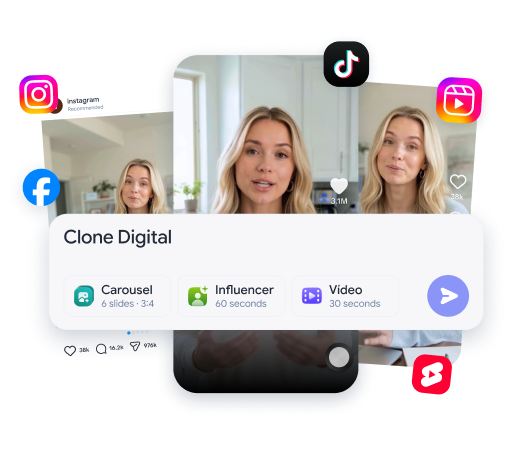
Canva edits the video you film; Pubbly films for you. With Pubbly you record once and your clone films the next videos, which come out with captions, cuts and scene overlays. In Canva you still have to film and edit on the timeline.
See how it works: ai clone.
Publishing
Both schedule, but Pubbly publishes what it created. Canva's scheduler is on paid plans and posts the designs you made. In Pubbly, Reels, carousels and Stories go into the calendar with captions ready and are published to Instagram, Facebook, TikTok and YouTube.
Comments and DMs
After the post, Pubbly keeps working. Pubbly replies to comments and sends the right link by DM, even when you are offline. Canva doesn't follow what happens after publishing.
How to use Canva for Instagram (and where it stops)
If you stay with Canva, these tips speed up post creation.
- Create a brand kit with your colors, fonts and logo and always use the same 3 or 4 templates.
- Write the carousel copy before opening the design: hook on slide one, one idea per slide and a call to action at the end.
- Duplicate your best-performing carousel and swap only the content.
Even so, deciding what to post, writing, filming videos and replying to comments are still on you. That is the part Pubbly automates.
Pricing: Pubbly vs. Canva
- Pubbly: from $9 per month on the Starter plan, or $79 per year, with planning, carousels, clone videos, scheduling and auto-replies.
- Canva: free plan with limited features plus paid plans (Pro and Teams) with more templates, brand kit and scheduler. Current prices are on canva.com/pricing.
The fair math: Canva solves design. Daily posters still need time to plan, write, film and edit videos and reply to comments.
Choose Pubbly if…
- You don't know what to post or have no time to plan.
- You want carousels and videos ready, without building slide by slide.
- You want publishing and comment replies on autopilot.
Choose Canva if…
- You enjoy building designs yourself.
- You need many formats beyond social media.
- You want to start for free.
Can you use both?
Yes. Many people keep Canva for one-off pieces, like print materials, and use Pubbly for everyday social content.
Frequently asked questions
Is Canva worth it?
Yes, for design: thousands of templates and full freedom. To post often, you still decide what to post, write it, build every carousel and edit every video.
Why is Pubbly better than Canva?
Because Pubbly starts before the design: it decides what to post, writes it, creates on-brand carousels, makes clone videos and publishes, without you building slide by slide.
Which is better: Pubbly or Canva?
Pick Canva if you like building designs yourself, with thousands of templates and full freedom, and you already know what to post. Pick Pubbly if you want content finished: a monthly plan, on-brand carousels, edited videos with your AI clone and publishing to Instagram, Facebook, TikTok and YouTube.
Is Pubbly a Canva alternative?
Yes, for people using Canva to create social posts and carousels. Pubbly delivers the finished post instead of a blank template.
Does Canva create carousels automatically?
Canva has AI features and templates, but you still write and adjust every slide. In Pubbly the carousel comes out with copy and design ready, in your brand identity.
Can Canva post to Instagram?
Canva's scheduler is on paid plans and posts the designs you created. Pubbly schedules and publishes the content it planned and created.
How much does Pubbly cost?
Pubbly starts at $9 per month on the Starter plan, or $79 on the annual plan. Larger plans add more videos and brands.
How we compared
We compared what matters to people creating content for Instagram, Facebook, TikTok and YouTube: planning, carousels, filming, editing, publishing and replying. Canva information comes from its official website, checked in November 2026. Features and prices change; when they do, we update this page.
Sources: Canva: planos e preços · November 15, 2026.